VideoBro / Press

VideoBro press kit

News, facts, images and contacts for anyone covering VideoBro, the iPhone app for making home movies together.

News

About VideoBro

2026Launched on the App Store on August 31
iPhoneFor filming. Anyone can watch a finished film in a browser.
FreeWith 2 GB of storage, about an hour of footage
8People per tape, including the person who started it

VideoBro is an iPhone app for creating, collaborating on, editing, storing, sharing and watching home movies.

Someone starts a tape and invites friends or family. Everyone films on their own phone, and every clip lands on the tape in the order it was shot, as if the group were passing one camcorder around. When the tape is done, VideoBro turns it into a single film in the cloud and adds it to the Tape Cabinet of everyone on the tape.

People film more than ever, but most of it ends up as short, disconnected clips spread across camera rolls, cloud storage and old hard drives. Collecting everyone's videos after a trip takes effort, and often it never happens. VideoBro brings back the longer, continuous shape of a camcorder tape, made for the people in it rather than for strangers.

The founders

VideoBro is made by brothers Doug and Drew. Doug directs TV animation and came up with the idea and the first drawings. Drew is a sound design manager in the video game industry. They design and build VideoBro together. More about them.

Boilerplate

For the end of an article or a listing.

VideoBro is an iPhone app for making home movies together. Friends and family film into one shared tape from their own phones, every clip lands in the order it was shot, and VideoBro turns the finished tape into a single film for everyone on it. VideoBro is free, and is made by brothers Doug and Drew. watchvideobro.com

Logos and app icon

The logos, screenshots and images on this page are free to use in coverage of VideoBro. Each one opens at full size.


The VideoBro app icon: a grey cartoon camcorder with a blue screen and two white eyes, on rainbow stripes.
App icon PNG, 512×512
The VideoBro wordmark: the word VideoBro in white over rainbow stripes, on a transparent background.
Wordmark PNG, transparent, 570×90
The VideoBro logo: the word VideoBro in white over rainbow stripes, on a dark background.
Logo on dark PNG, 1200×630

Screenshots and images

The Tape Den, Shared Album and web sharing images show the real app and website with demo films and albums.
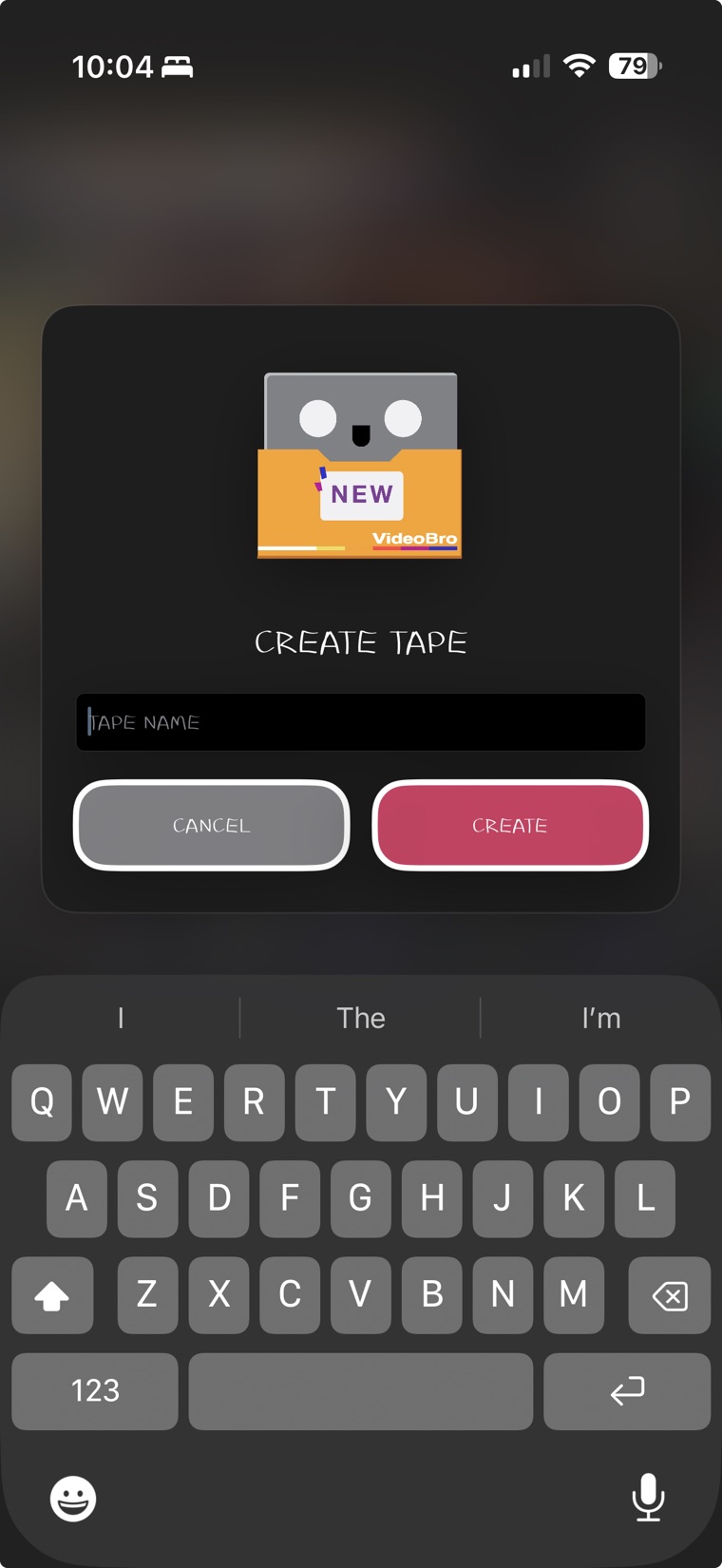
The Create Tape dialog on an iPhone: a cassette with a NEW label above the words Create Tape, a Tape Name field, and Cancel and Create buttons over the keyboard.
Starting a tape JPG, 760×1650
The Edit Clip sheet on an iPhone: the clip previewed at the top, a Trim Video thumbnail strip below it with a handle pulled in at each end, a duration readout of seven seconds, play and skip controls, and Cancel and Save buttons.
Trimming a clip JPG, 760×1650
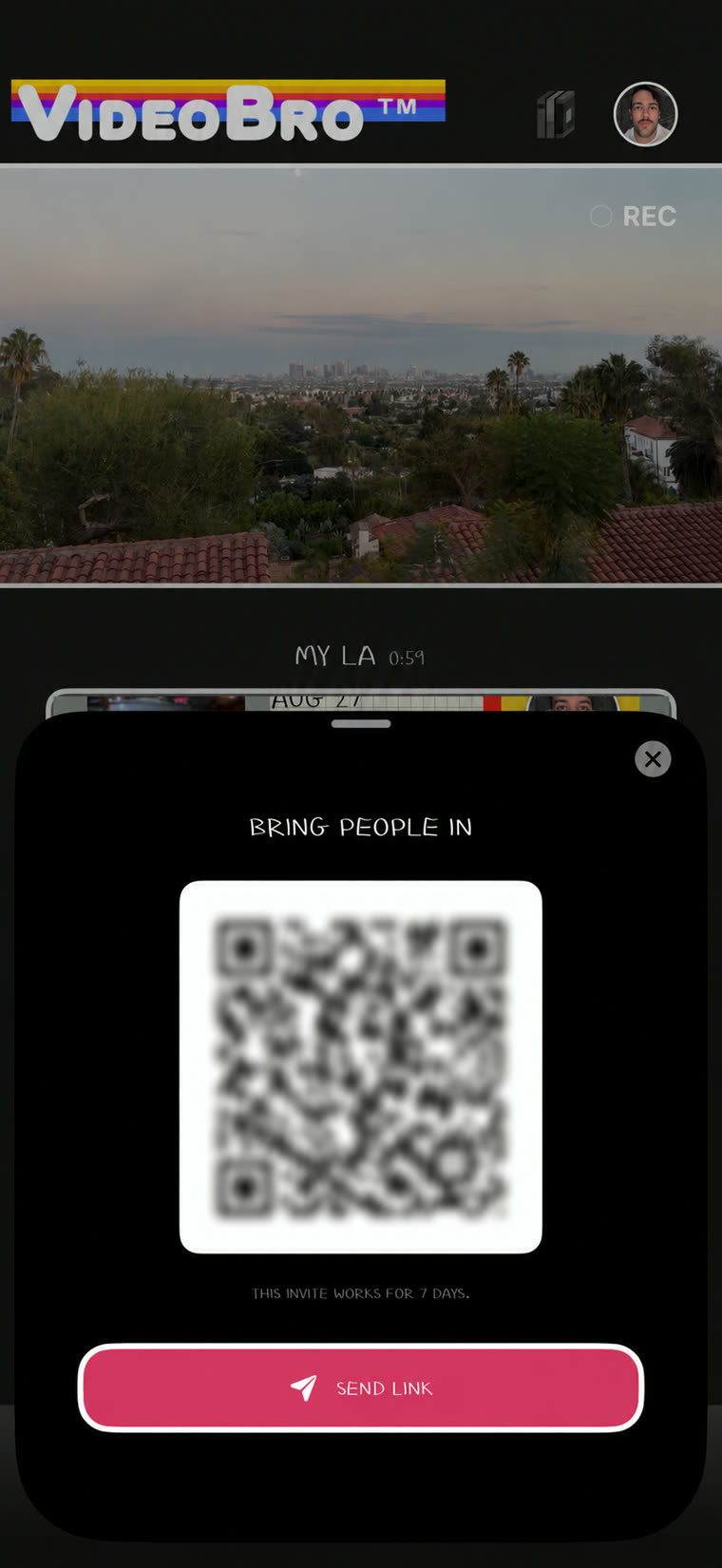
The VideoBro invite sheet: a square code a friend can scan and a Send Link button underneath, with a note that the invite works for 7 days.
Inviting people JPG, 760×1650
The VideoBro browser player showing a film of a summer bay with sailboats, with the VHS switch on the TV's front panel below the picture.
Watching in a browser JPG, 1104×852
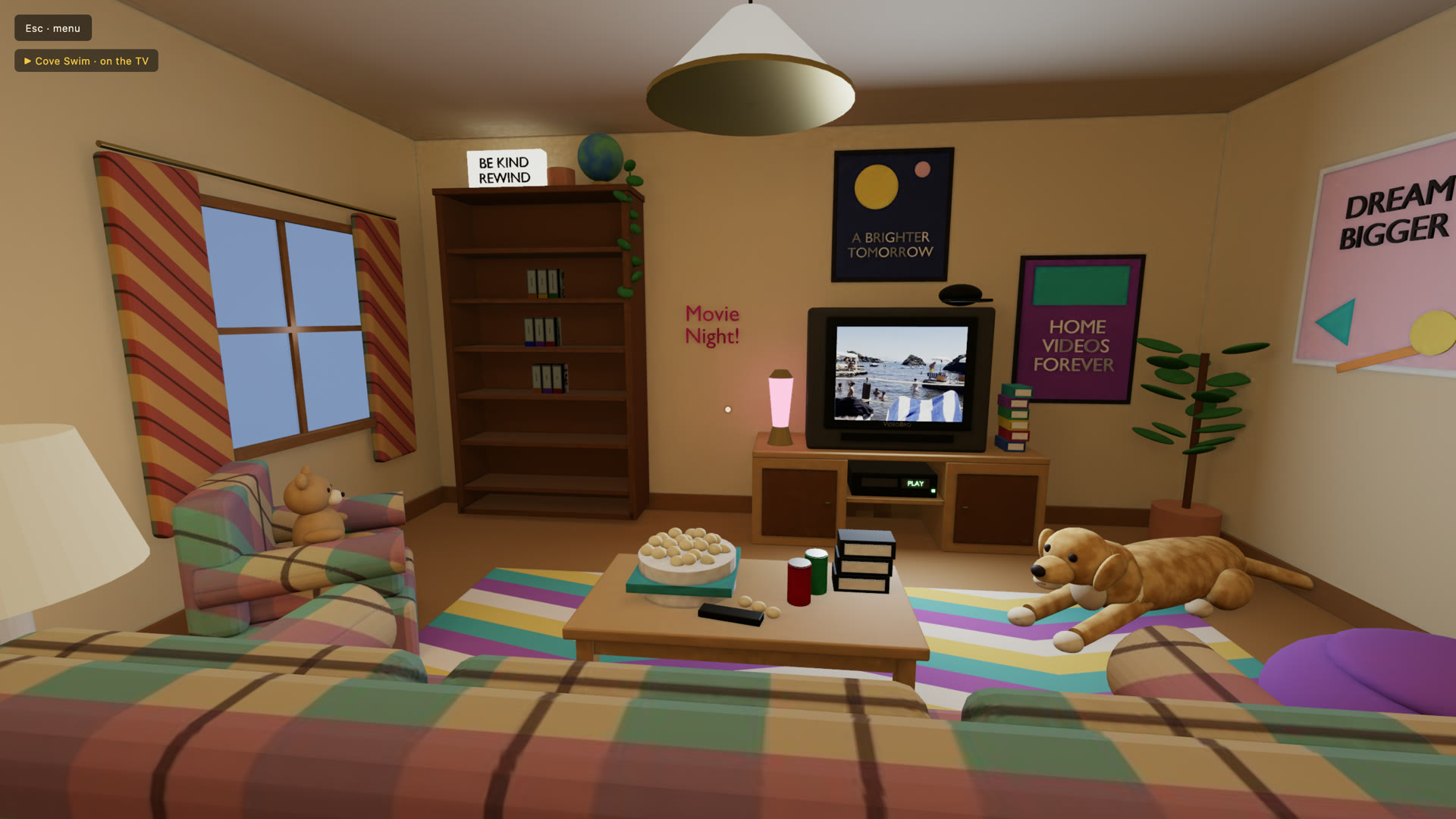
The Tape Den: a cartoon 3D living room with a bookcase of tapes, a film playing on a CRT television, a VCR reading PLAY, a coffee table and a plaid couch.
The Tape Den JPG, 1920×1080
The Add Clips picker on an iPhone with its source menu open: Camera Roll with a checkmark, then a list of Shared Albums, over a grid of video clips with three ticked and an Add button reading Add (3).
Adding from a Shared Album JPG, 760×1652
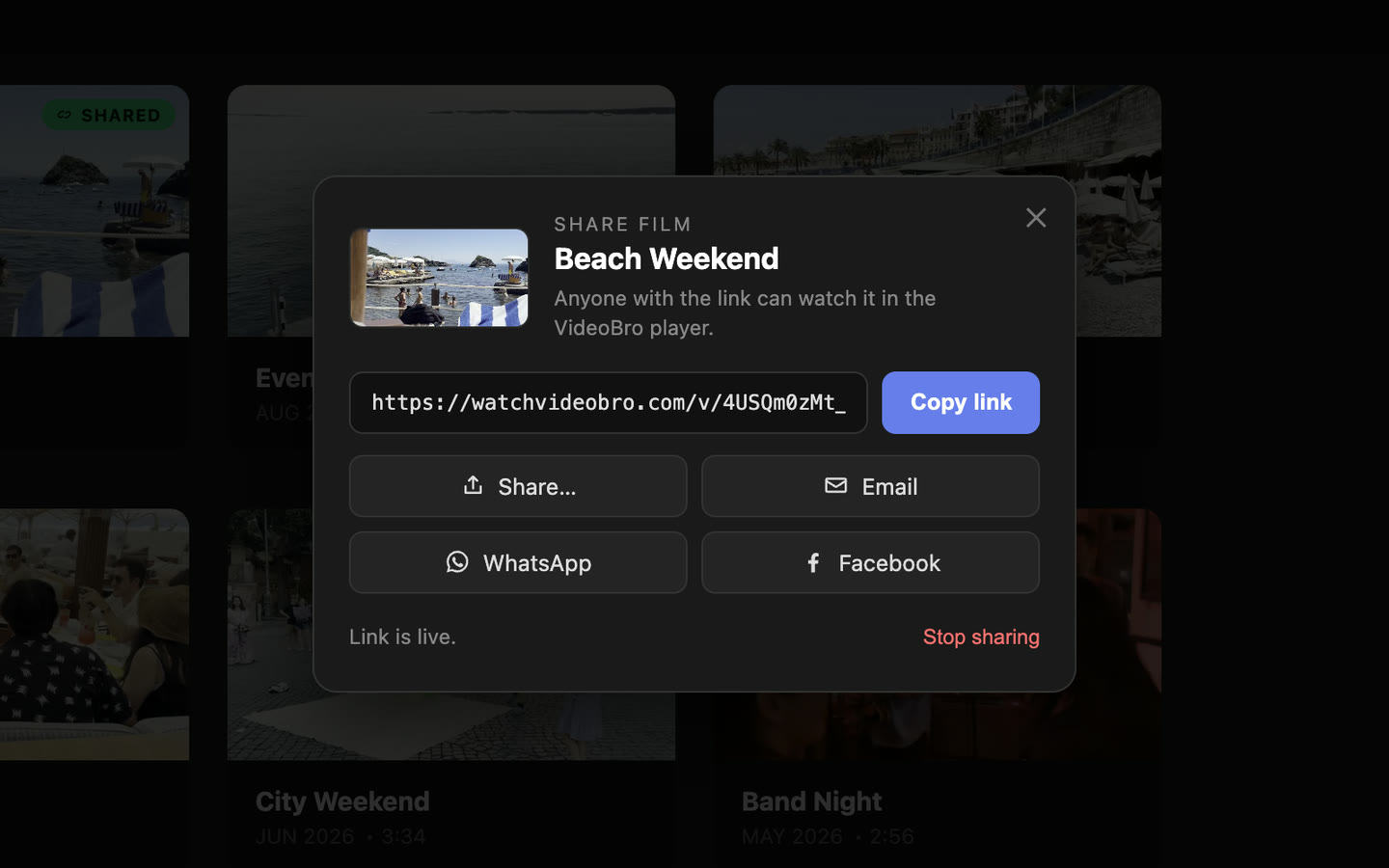
The Share dialog in VideoBro's Tape Cabinet on the web: a film's cover and name, its link with a Copy link button, buttons for Share, Email, WhatsApp and Facebook, and Stop sharing.
Sharing from the web JPG, 1440×900
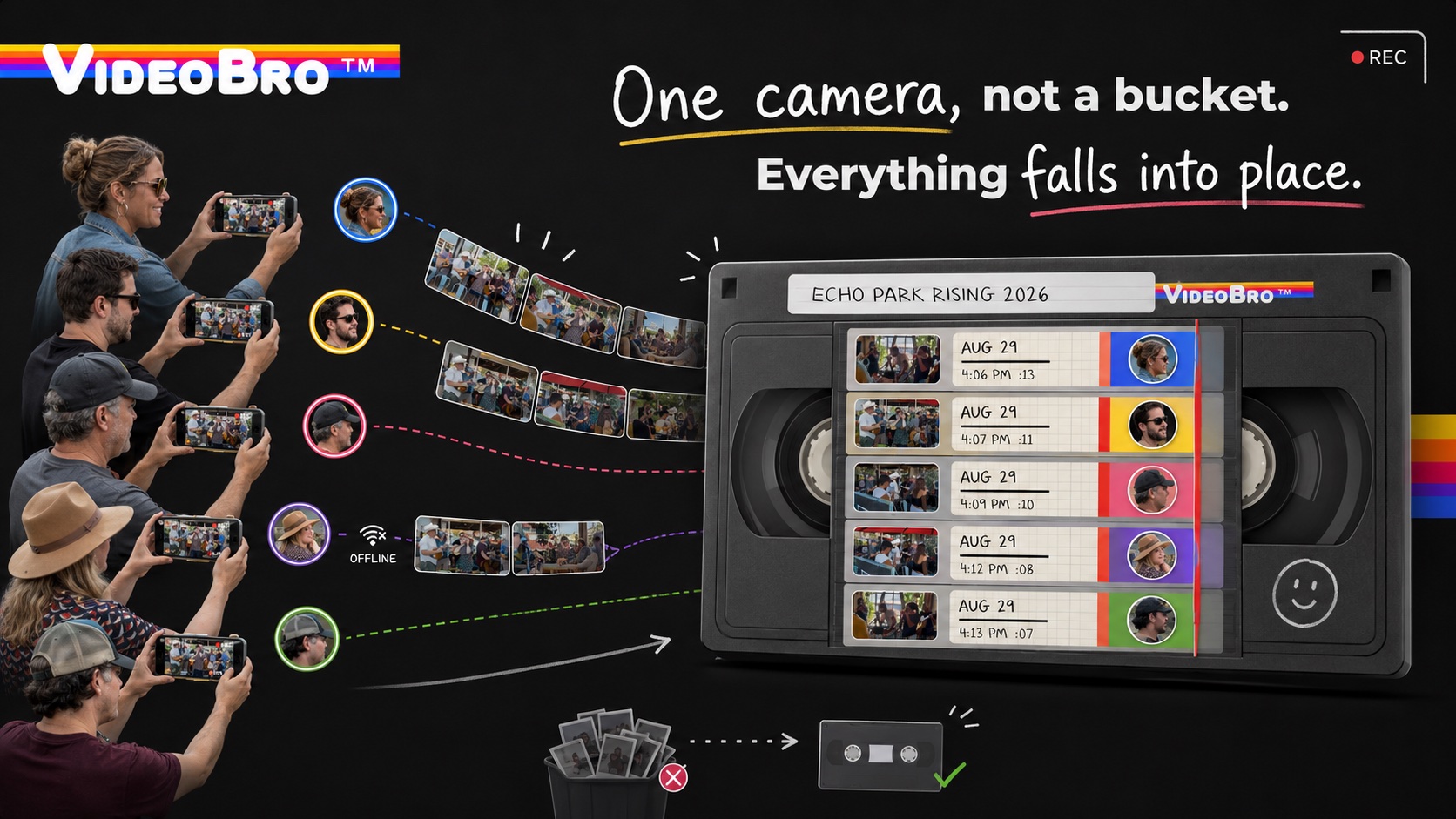
Five people film the same street band on their phones, and each person's clips flow into one VHS tape labelled Echo Park Rising 2026, where they sit in the order they were shot, each marked with the face of whoever filmed it. The heading reads: One camera, not a bucket. Everything falls into place.
One camera, not a bucket JPG, 1672×941
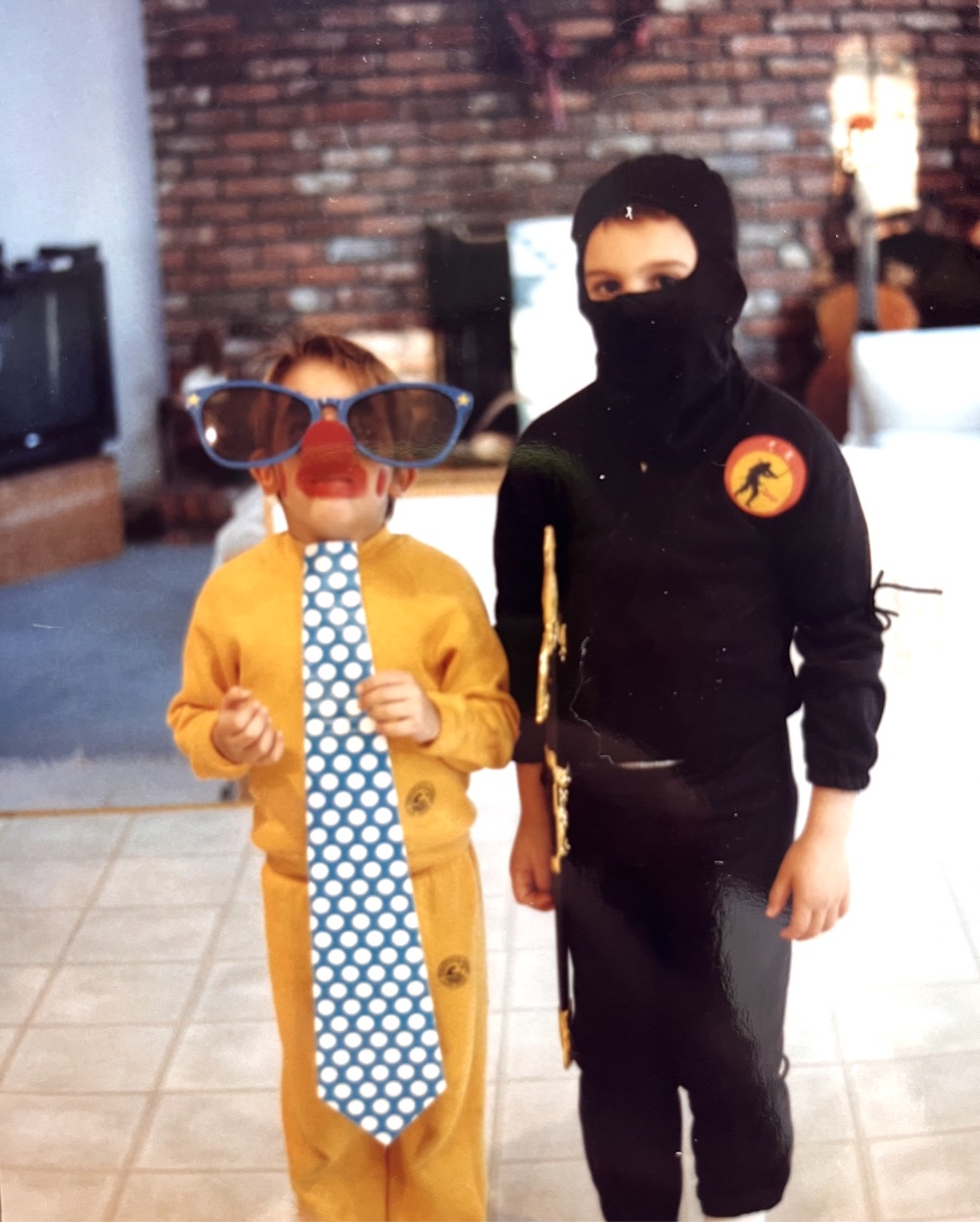
Two young brothers in Halloween costumes in front of a brick wall in a living room. The smaller one wears a yellow sweatsuit, giant sunglasses, a clown nose and an enormous polka-dot tie. The taller one is dressed as a ninja.
Doug and Drew, around 1988 JPG, 1001×1248

App Store reviews

Reviews from the US App Store, quoted as written.

Brilliant!

Love this app! Gave our crew a fun way to capture an adventure. Really challenged my 90’s dad with a camcorder vibes

5 out of 5 stars. Kandyplease,

Peak Nostalgia / Making Memories

I’m obsessed with this app. It’s so intuitive and fun. … The collaboration function is clutch. Being able to have multiple friends contribute to one shared memory is so special. Highly recommend!!

5 out of 5 stars. Deeeepmp,

VHS nostalgia in an app

Remember making those cool VHS tapes then accidentally overwriting them halfway through your kid’s first steps?

Or that awkward junior prom video your mom won’t stop playing?

This is that. But in an app. And it’s awesome.

5 out of 5 stars. Bryan Barash,

Love it!

Love the app! Such a fun way to keep memories and share them with friends and family. Super easy to use!

5 out of 5 stars. n_baggio,

Read every review on the App Store.

Media contact

For interviews, more images or a finished film to watch, email press@watchvideobro.com. It helps to include your publication and your deadline.

Start with 2 GB free.

The free plan is the real product, not a demo: make tapes, fill one with up to 8 people including you, trim, Develop, and share films by link. Storage is the only thing a paid plan will ever change.

Free on iPhone. No trial, no card. Anyone can watch a finished film in a browser. On a computer? Get it on your iPhone.